
Tutorial: How to Install WinCDEmu
If you want to seamlessly mount ISO files and other optical disc images by double-clicking at them in Explorer, you need to install WinCDEmu. Alternatively, you could use the portable version that does not require installation, however, it does not integrate itself into Windows Explorer and requires starting the application manually to mount or unmount images.
To install WinCDEmu on Windows XP - Windows 8.1, follow the steps below.
To install WinCDEmu on Windows 10, follow the Windows 10 tutorial.
- Download the latest version from the WinCDEmu homepage.
-
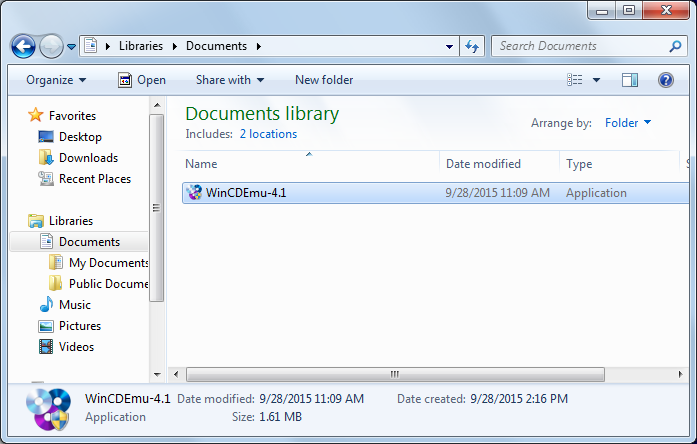
Run the downloaded file:
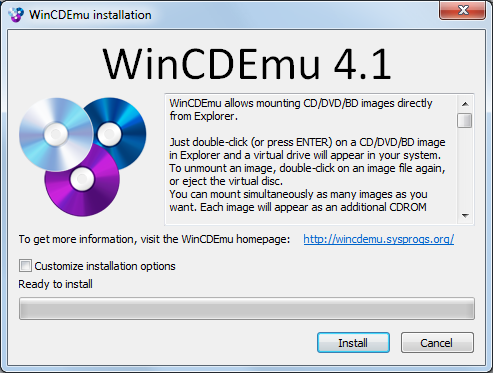
- Confirm the installation:
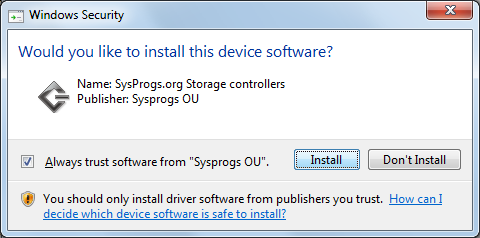
- Confirm the installation of the WinCDEmu driver:
- Once the installation is complete, you can mount the optical disc images by double-clicking on them in Windows Explorer. A step-by-step tutorial is available here.
- If you have any questions or problems, feel free to post on WinCDEmu forum.